
Everything it does
A right-click image converter that keeps every conversion on your device. No account, no upload, no server.

Built on trust
The original extension was removed for injecting affiliate links. Everything below exists so that cannot happen here.
Privacy First
All conversion runs locally in your browser using the Canvas API. Images never leave your device, and nothing is uploaded to a server.
Nothing Hidden
No affiliate injection, no remote code, no monetization. Every permission is justified in writing, and every server the extension talks to besides the page you are on is named in the privacy policy.
Converting images
The core job: get the image off the page and into the format you actually need.
Instant Conversion
Right-click any image and save it in your preferred format. No upload, no wait.
6 Format Options
Convert to JPG, PNG, WebP, AVIF, GIF or PDF. Choose the right format for every use case.
Quality Control
Adjust compression quality for JPG, WebP, and AVIF. Get the perfect file size.
Copy, Not Just Save
Copy the image straight to your clipboard as PNG, ready to paste into a document or a chat without a file landing in Downloads.
Batch Save
Open the toolbar popup to scan the page, tick the images you want, and save them together. Any single one can still go out in its own format.
Or Save the Original
Take the file exactly as the page served it, with no conversion at all. An animated GIF stays animated, an SVG stays vector, a HEIC stays HEIC.
Beyond a plain save
Where it runs, and what it can do to an image before you save it.
Save Where You Want
Choose a folder once and every save lands there, with no dialog and no digging through Downloads. Nothing about the folder is transmitted.
Capture a Page
Photograph the whole page, the visible part, or a region you drag out, then save it as JPG, PNG, WebP, AVIF or PDF - including a multi-page PDF for a long one.
Cross-Browser
Available for Chrome, Firefox, and Edge. Same experience everywhere.
Built-in Editor
Crop, rotate, and flip an image before you save or copy it, right from the right-click menu, the popup, or your save history. Off by default - turn it on in Settings.
See it in action
Real screenshots of the extension in Chrome, one for each thing you can see.
-
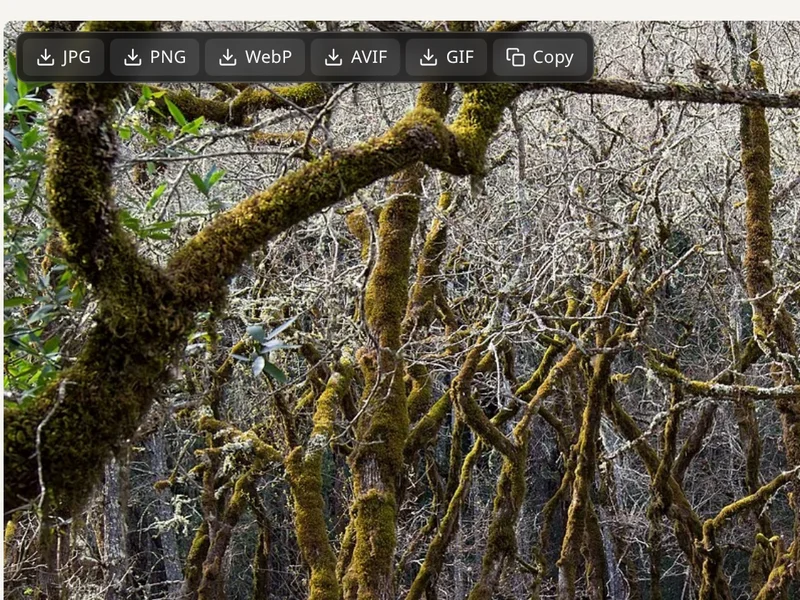
Save buttons on the image
Hover any image and the format buttons appear on it: JPG, PNG, WebP, AVIF, GIF, or copy. Off by default.
-
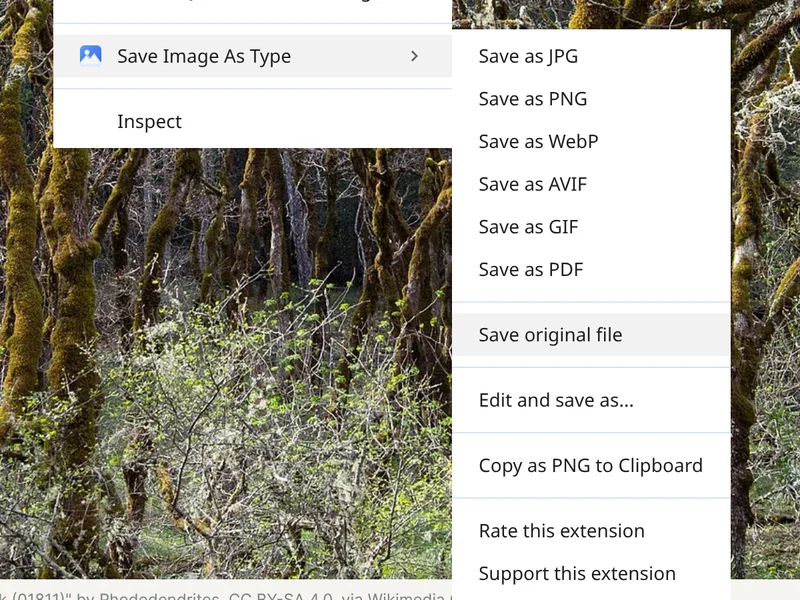
Or save the original
Take the file exactly as the page served it, with no conversion, from the same menu.
-
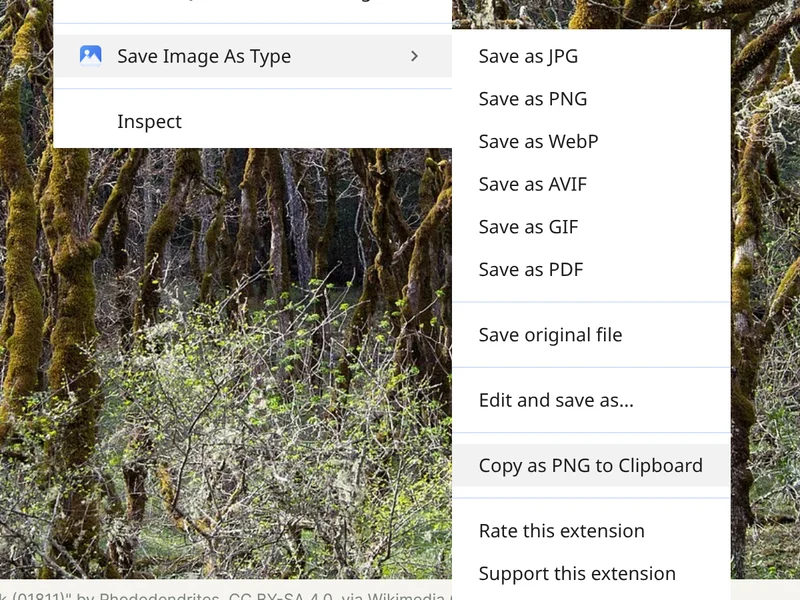
Copy, not just save
Copy the image to your clipboard as PNG, ready to paste into a document or a chat.
-
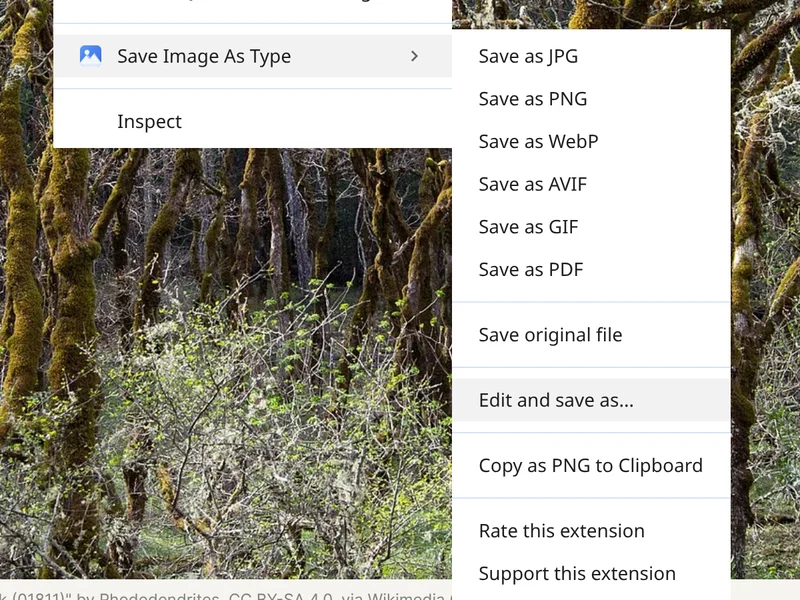
Edit before you save
Turn the editor on in Settings and Edit and save as appears in the right-click menu.
-
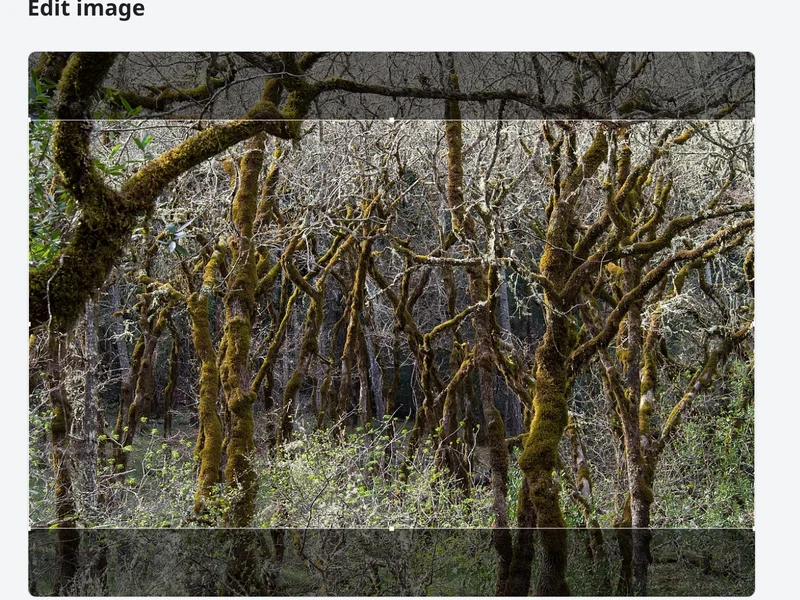
Crop, rotate, flip
The editor opens on the image with a 16:9 crop applied, with Copy, Save a copy and Save underneath.
-
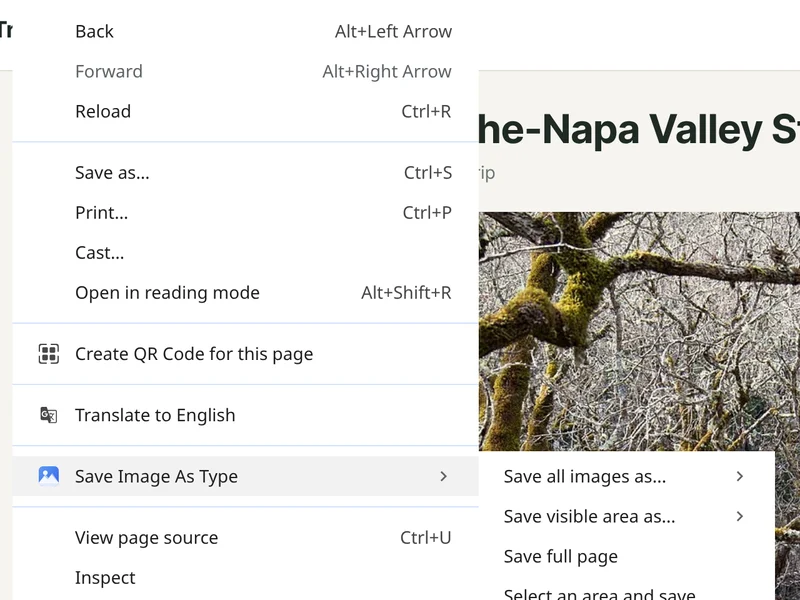
Capture a page
Right-click the page itself to save the whole page, the visible area, or an area you select, or save every image on it.
-
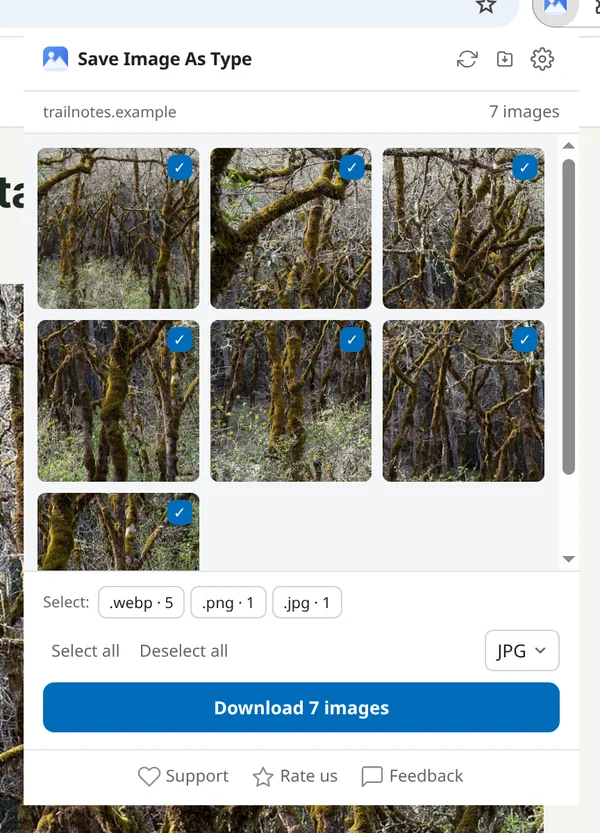
Batch save from the toolbar
Open the popup to scan the page, filter by format or size, tick the images you want and download them together.
-
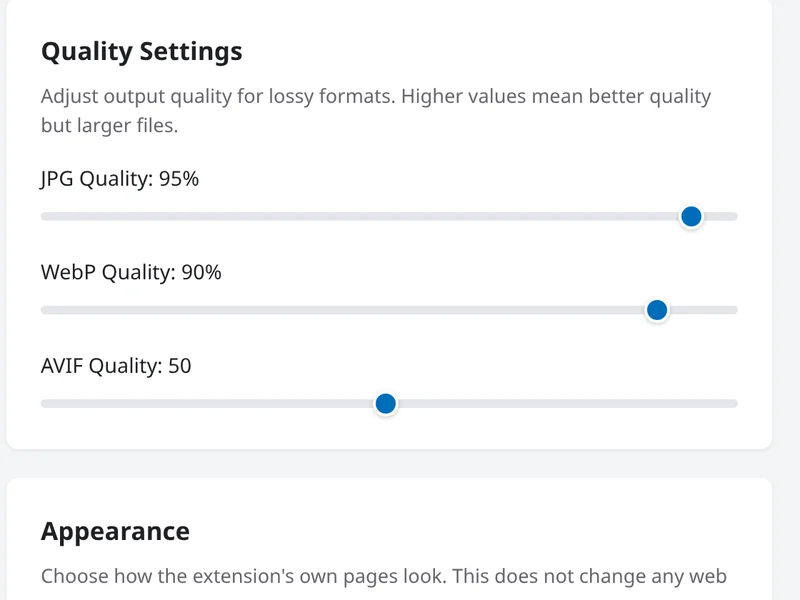
Quality control
Sliders for JPG, WebP and AVIF quality, so you pick the file size.
-
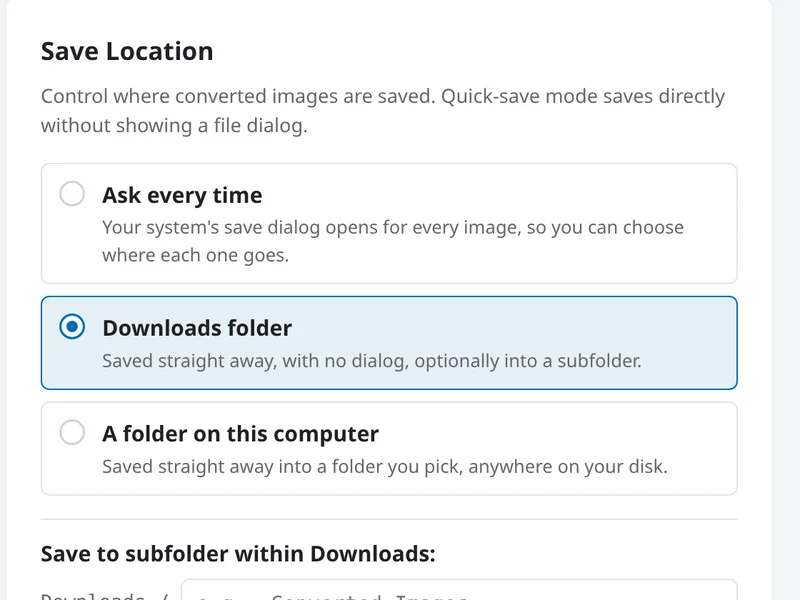
Save where you want
Ask every time, use your Downloads folder, or pick a folder once and every save lands there.
-
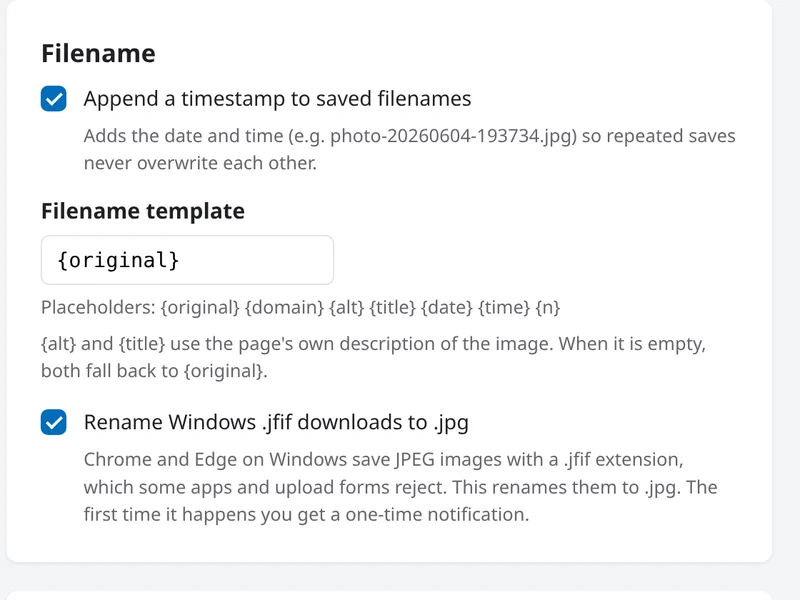
Name files your way
A filename template with placeholders, an optional timestamp, and a .jfif to .jpg fix for Windows.
Photo in the screenshots: "Bothe-Napa Valley State Park (01811)" by Rhododendrites, CC BY-SA 4.0, via Wikimedia Commons.

The six output formats
Quality is adjustable for JPG, WebP and AVIF, and PDF follows the JPG setting. PNG has no quality setting because it never throws pixels away; GIF has none because its limit is the 256-colour palette.
| Format | Default quality | Best for |
|---|---|---|
| JPG | 95% | The universal image format. Best for photos and complex images with gradients. |
| PNG | Lossless | Lossless format with transparency support. Perfect for screenshots, logos, and graphics. |
| WebP | 90% | Modern format by Google. Smaller file sizes than JPG/PNG with great quality. |
| AVIF | 50 (libavif scale) | Next-gen format with superior compression - around 5x smaller than JPG, but much slower to encode: a large photo can take about a second, and a page full of them a couple of minutes. When AVIF is worth the wait |
| GIF | 256 colours | Keeps every frame of an animated image, in up to 256 colours. Right for short loops and simple graphics; a photo comes out larger and banded. Single images only, not batch saves or captures. |
| JPG quality | A one-page document sized to the image. A JPG goes in untouched; anything else is encoded to JPEG first. |
Also in the extension
Shipped and working today. Everything marked off by default stays off until you turn it on.
Save buttons on hover v2.0.0
Optional buttons drawn over an image so you can save or copy without opening the right-click menu. Off by default.
Filename templates v3.1.0
Build the saved filename from {original}, {domain}, {date}, {time} and {n} placeholders.
Downscale on save v3.1.0
Cap a saved image's width and height. Off by default.
Save history v2.0.0
An optional record of what you have saved, with re-download and reveal-in-folder. Off by default, and kept only on your device.
Settings backup and restore v2.0.0
Export your settings to a file so they survive a new browser, a new profile, or sync being switched off.
Canvas elements too v3.1.0
Right-click a canvas element, not just a regular image, and save it the same way.
Light or dark appearance v3.1.0
Choose the appearance of the popup, options and onboarding pages independently of your operating system setting.
Filter the batch list v3.5.0
Narrow the popup's grid by format or by image size before you select. The format chip matches the extension in the image's address rather than its bytes, and says so.
Progress on the toolbar v3.5.0
A batch save keeps running after you close the popup, so the toolbar badge counts down what is left.
Paste into the converter v3.5.0
Paste an image straight from the clipboard on the converter page, for a screenshot that was never a file.
Hover strip exceptions v3.5.0
Switch the hover buttons off on named sites, or under a chosen image size, instead of switching them off everywhere. Both off by default.
Animated images in a batch v3.5.0
Decide what a batch save does with an animated source: write both the converted file and the untouched original, keep only the original, or convert anyway.
A copyable failure log v3.5.0
Recent failures only, hostnames only, held in session storage and transmitted nowhere. Copy it into a bug report when something breaks.
Ready to convert images the right way?
Free and privacy-first. No account needed.